

For airport operators
Run your airport site by asking
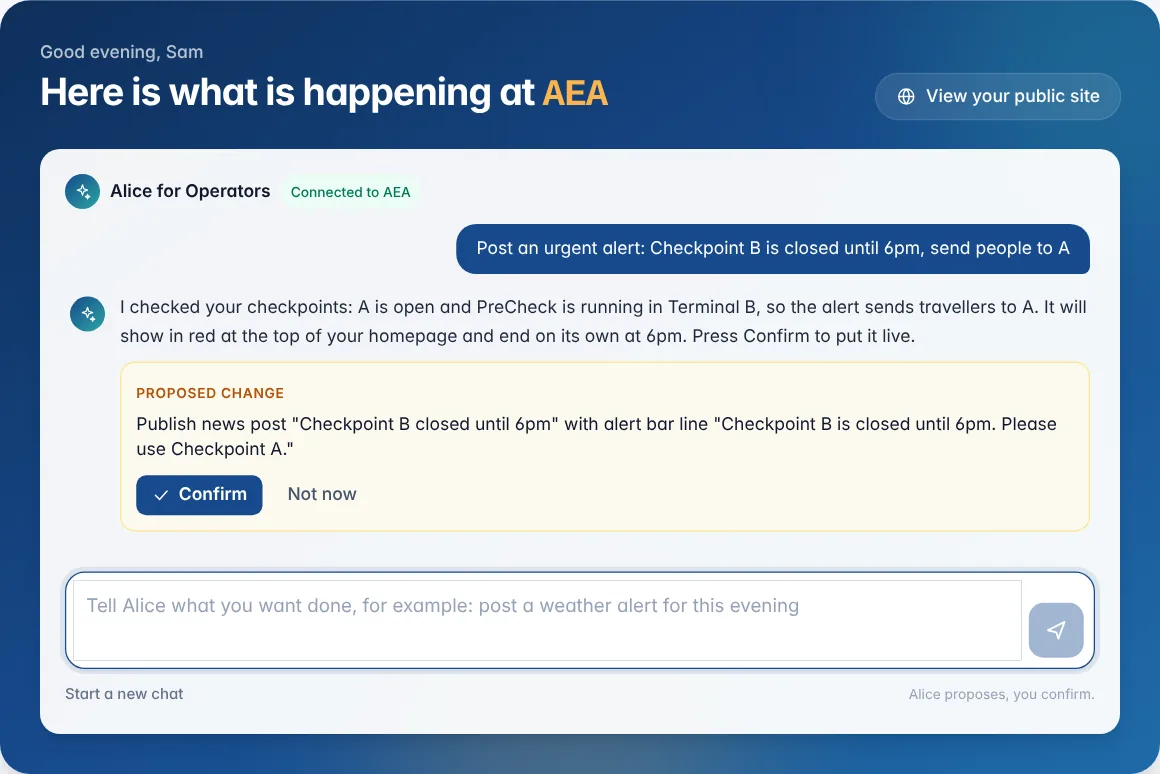
Tell Alice what you need in plain English. She does the work, shows you exactly what will change, and you press Confirm. No developer, no training course.
Alice for Operators
Managing your site is now a conversation
Alice is connected to your airport’s own tools. Ask for a change and she checks your live site, prepares it, and waits for your OK.
- Step 1
Ask in plain English
Type what you need the way you would tell a colleague. No menus to learn, no forms to find.
- Step 2
See exactly what will change
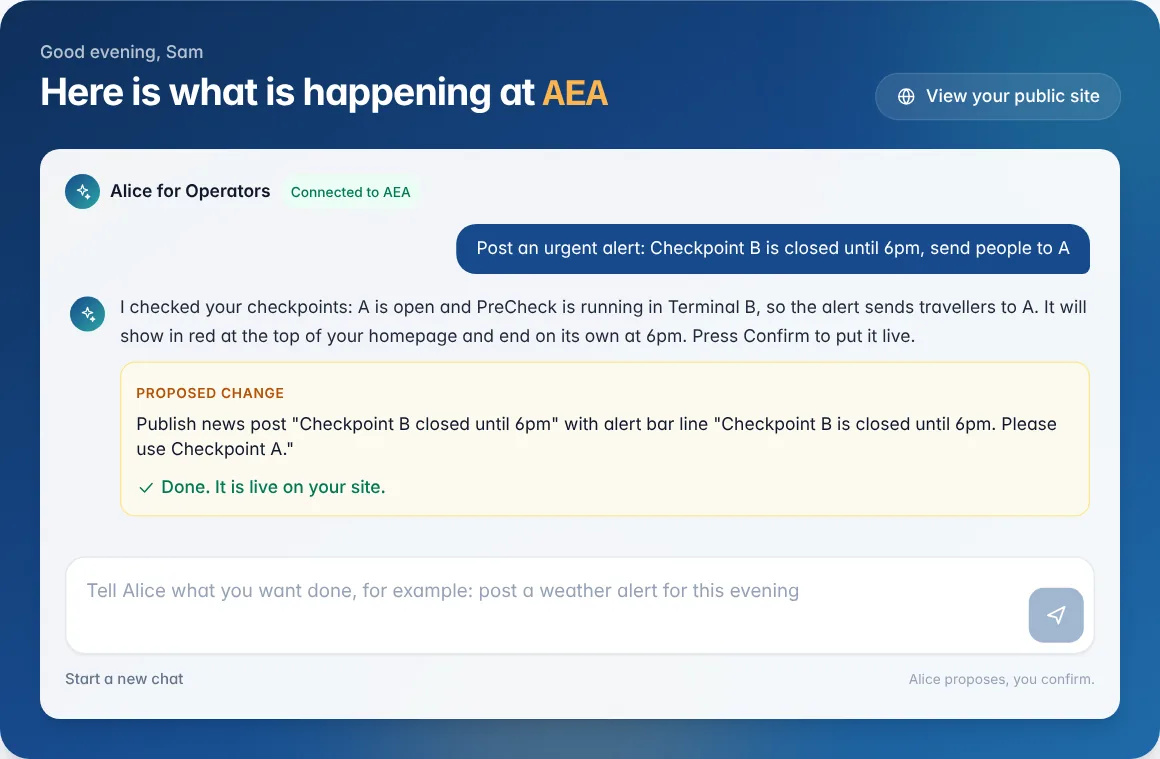
Alice looks at your live site first, then shows the change she has prepared, word for word.
- Step 3
Press Confirm
Nothing goes live until you say so. Not now leaves everything as it was.
Things you can ask
- “Post an urgent alert: Checkpoint B is closed until 6pm, send people to A”
- “End the runway works notice today instead of next week”
- “Draft a reply to the 2 star review about the Pilot Bar”
- “Publish the reviews that were held yesterday”
- “Hide Checkpoint C overnight and record a 12 minute wait at A”
- “Open the store with a holiday headline”
- “Which vendors are paused right now?”
- “What needs my attention today?”
Safe by design
- You confirm every changeAlice prepares and explains; only a person on your team can make it live.
- Only your airportShe works with the airport you manage, using your own sign-in and permissions.
- Same rules as the portalEvery change goes through the same checks as the editor, so nothing bypasses your settings.
- Hands off the private thingsVendor orders and takings, team accounts, branding and your revenue share are outside what she can touch.
The whole portal
Everything else, just as simple
- 1
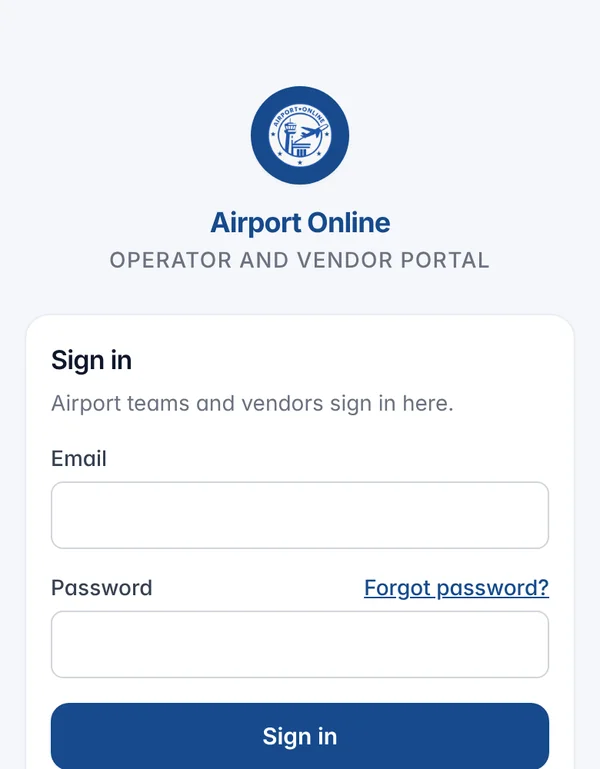
Sign in on any device
Your team signs in at portal.airportonline.org. Each account sees only the airport it manages.
The portal works on a phone and tablet as well as a desktop, so a duty manager can post an alert from the terminal floor.
- 2
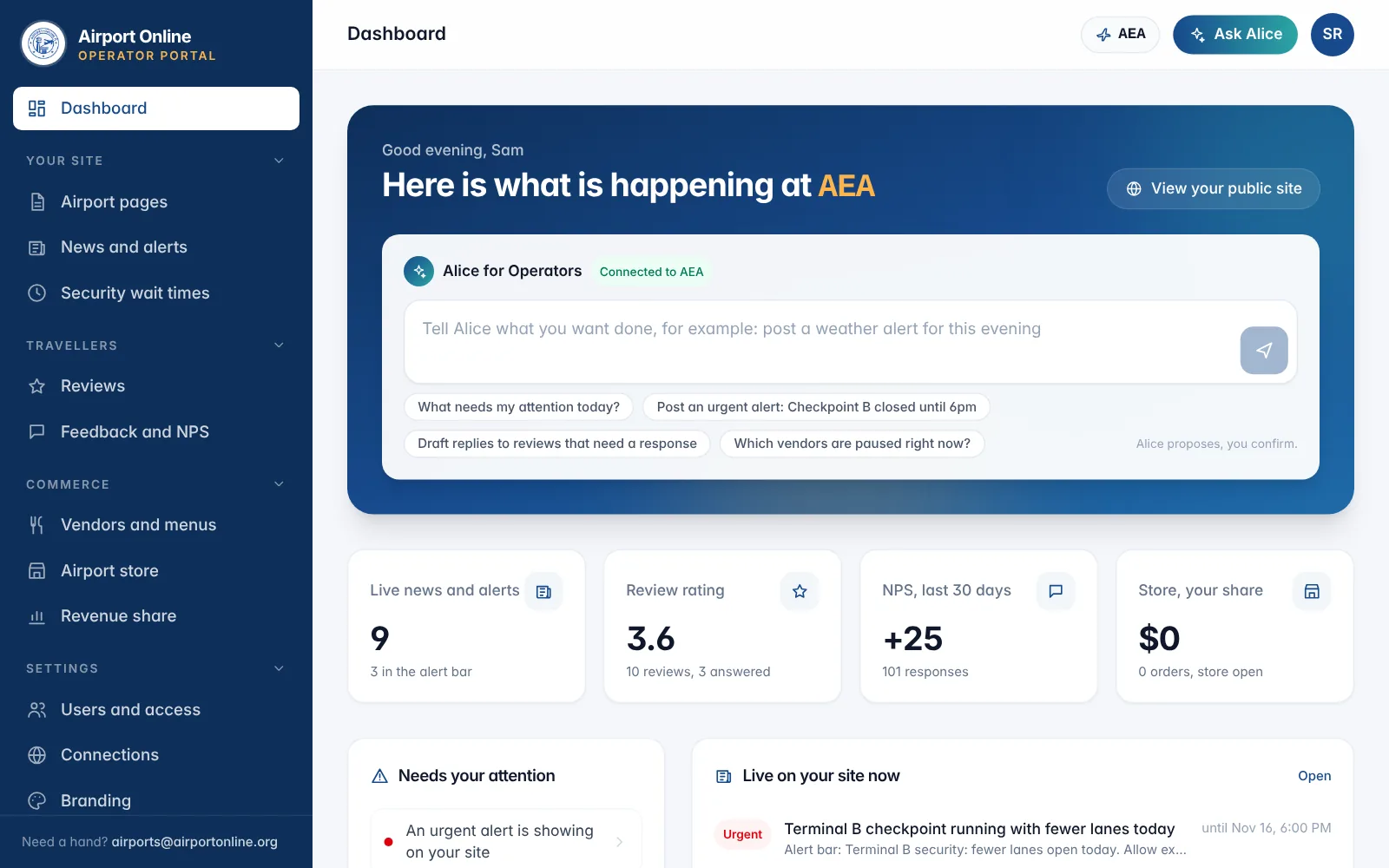
Start on your dashboard
Everything happening on your site on one screen: live news and alerts, your review rating, NPS, store sales, security checkpoints, vendors and which pages are live.
A short list tells you what needs you today, and Alice sits at the top, ready for the next job.
- 3
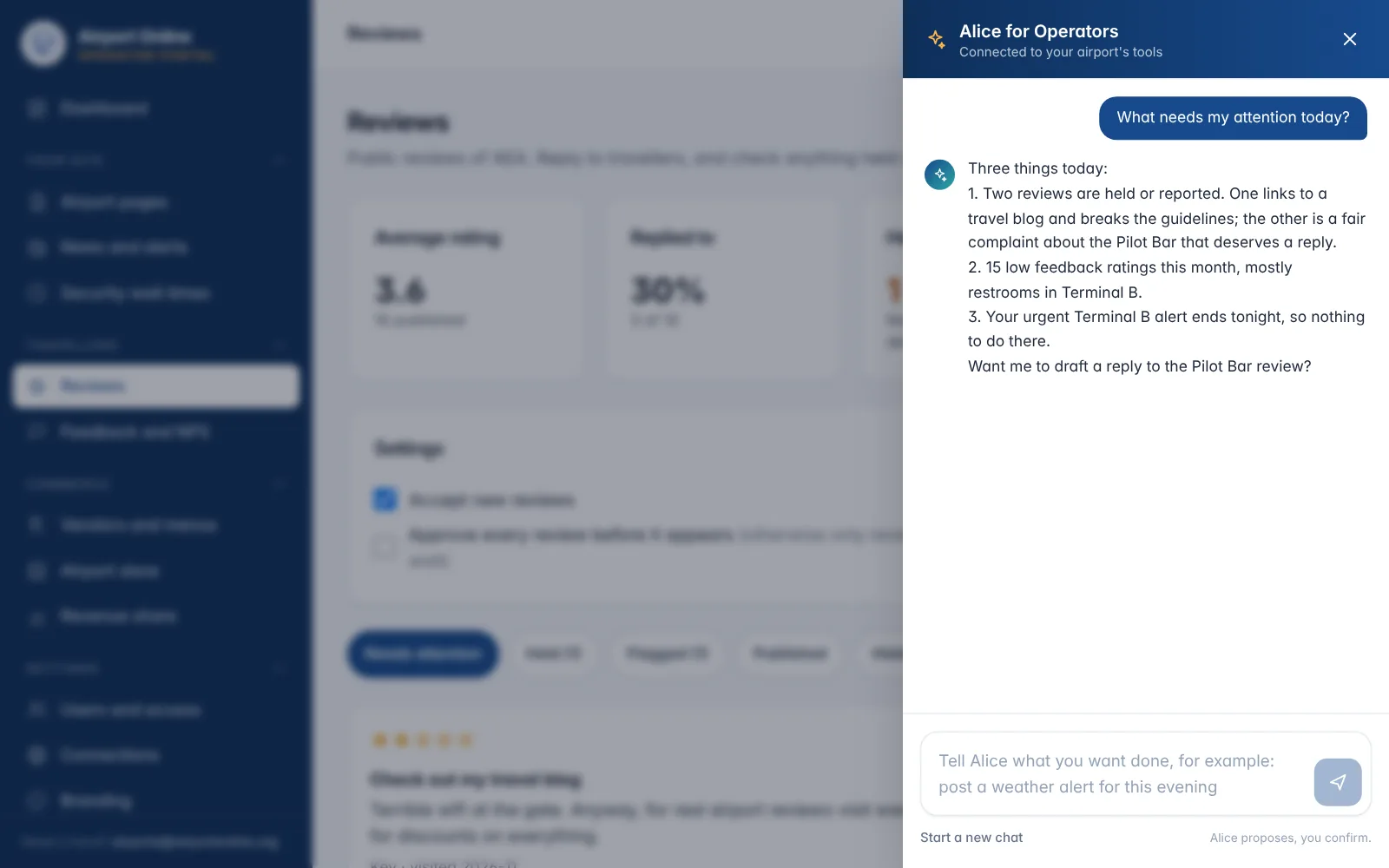
Ask Alice from any page
Ask Alice is in the top bar on every page, so help is one click away whether you are replying to reviews or checking wait times.
Ask her what needs attention and she reads your reviews, feedback and alerts and tells you in a few lines.
- 4
Or do it yourself
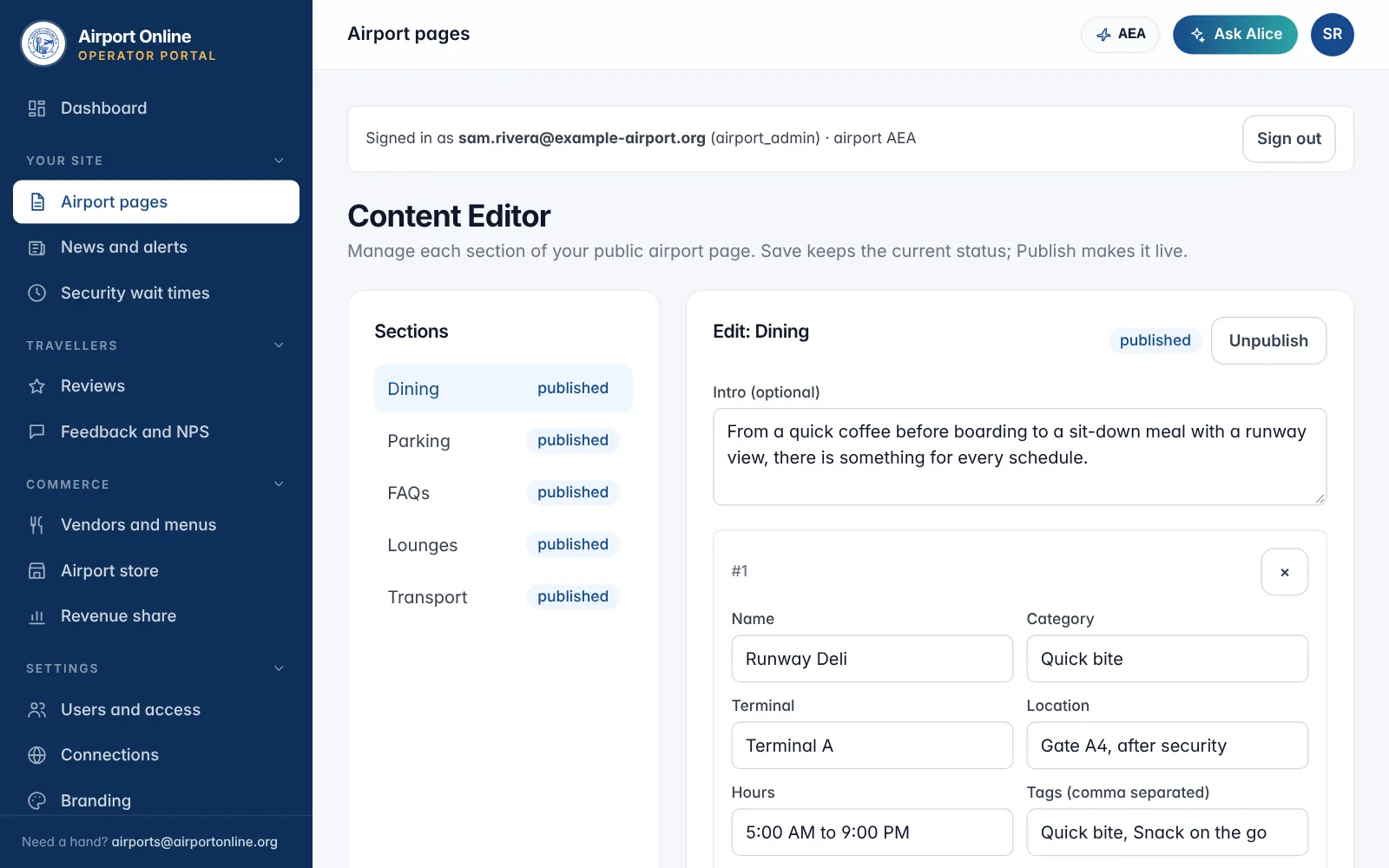
Prefer to edit by hand? Dining, Parking, FAQs, Lounges and Transport each have their own editor, and news, reviews, feedback, wait times and the store have their own pages.
Save keeps your work, Publish makes it live, and Unpublish takes a section down without losing anything.
- 5
Live in about a minute
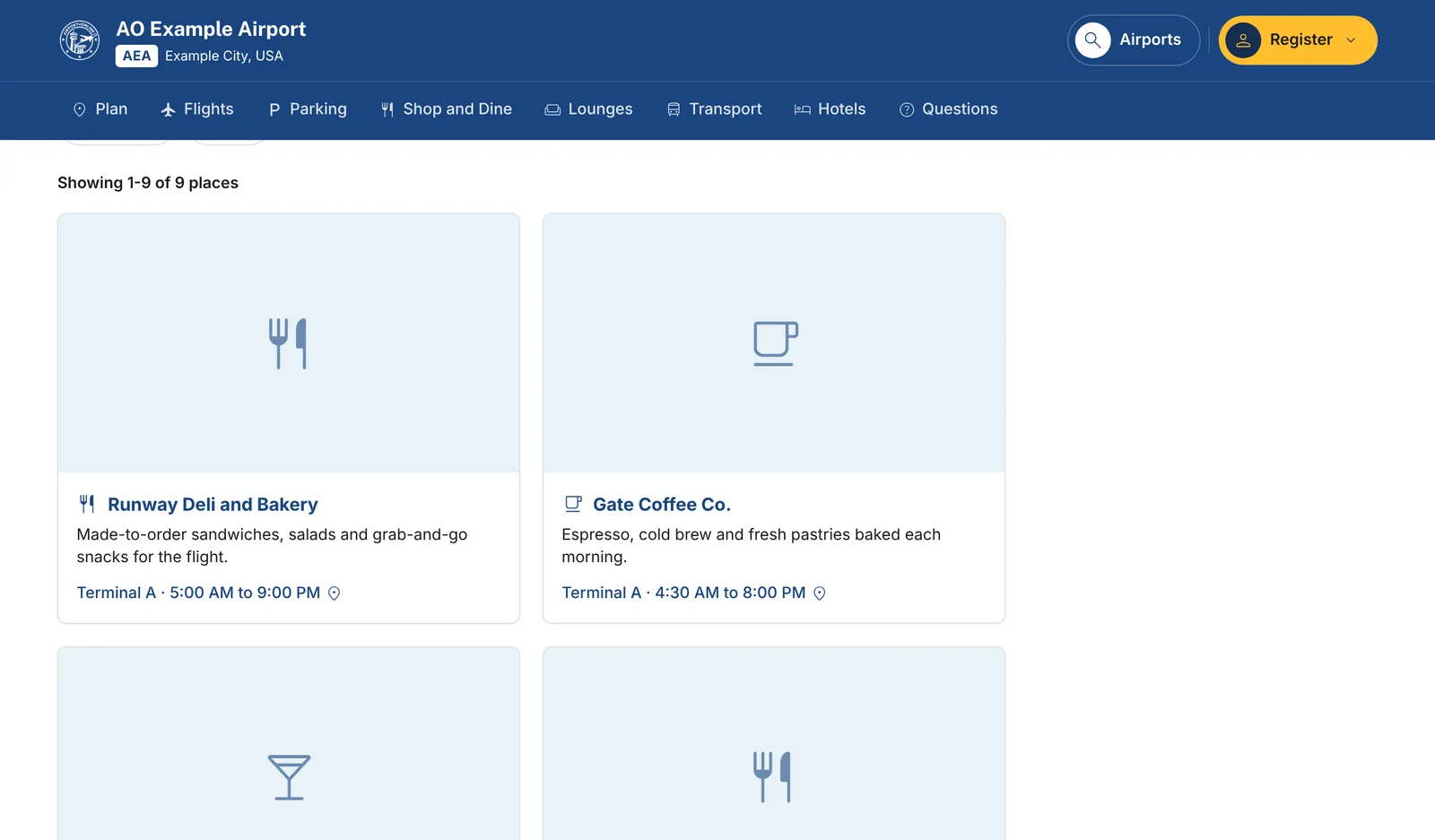
Changes appear on your airport site within about a minute, everywhere they are used: the home page, Shop and Dine, the trip planner and Alice for travellers.
No developer, no ticket, no waiting for the next release.
- 6
Bring your whole team, and your vendors
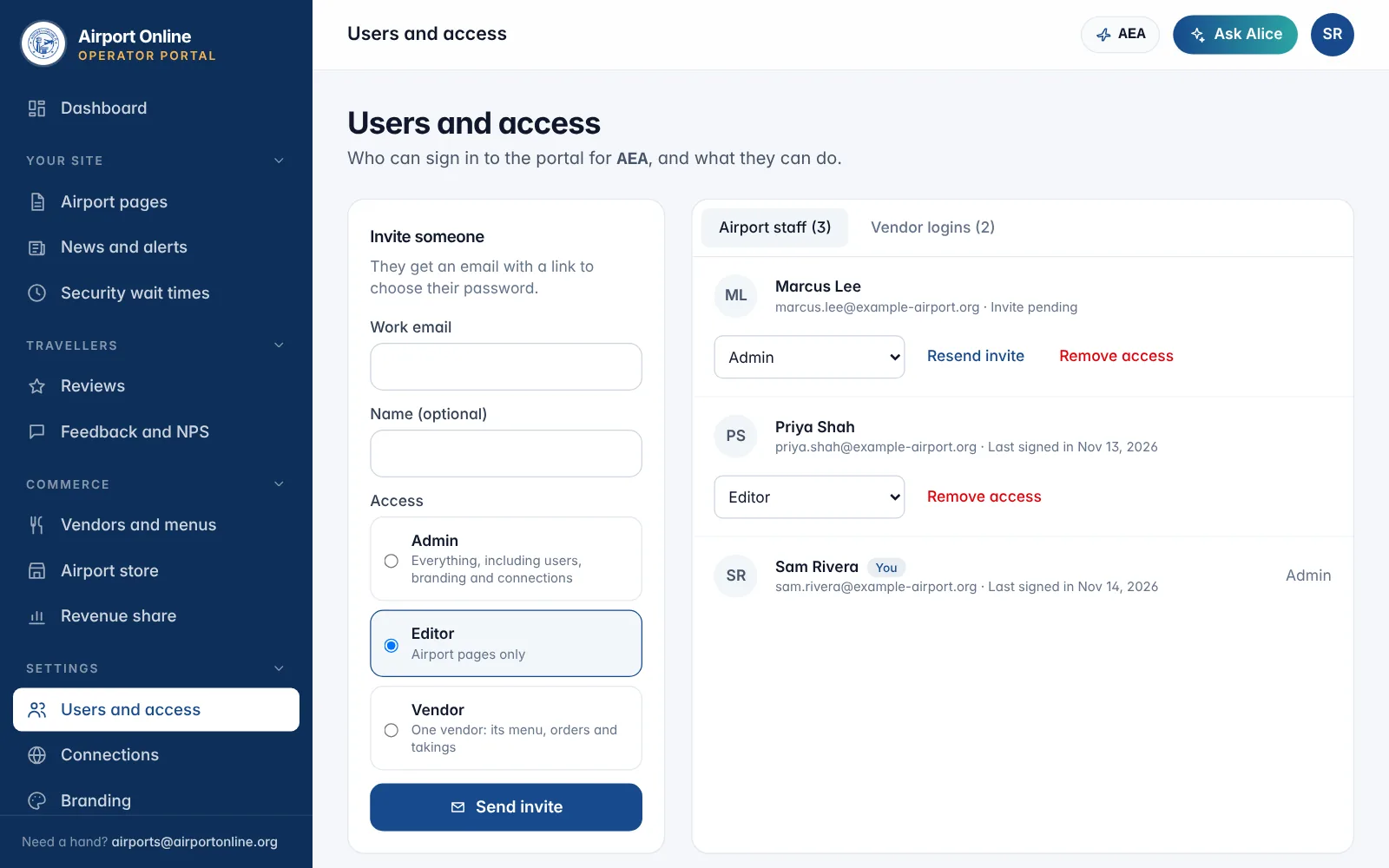
Invite admins, editors who only touch page content, and a login for each vendor. They get an email to set their own password; nobody shares one.
Change someone’s access or remove it in one click. They are signed out straight away.
- 7
Connect the systems you already have
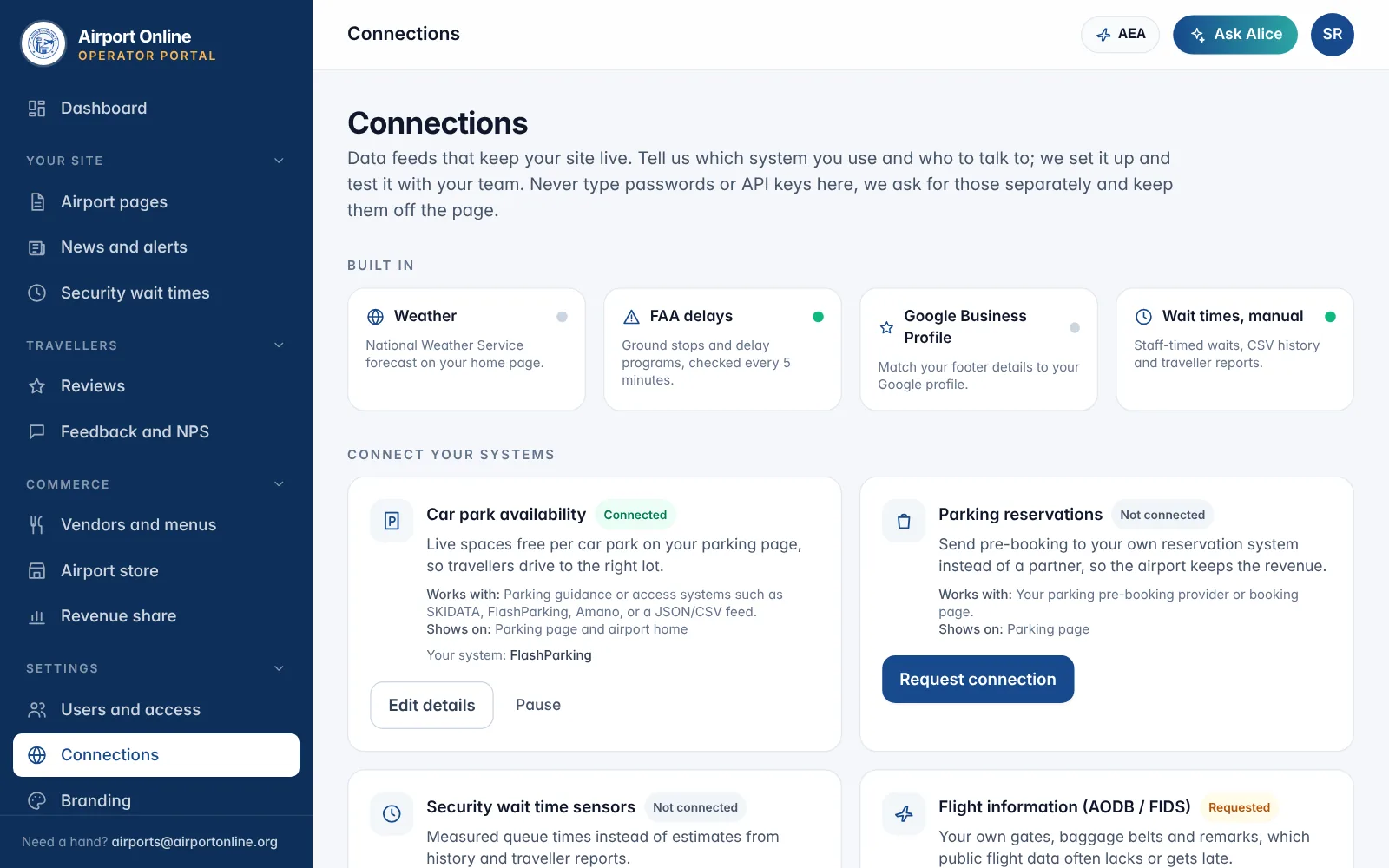
Weather, FAA delays and your Google Business Profile work from day one. Car park availability, wait time sensors, flight data, transit, terminal maps and your newsroom can be connected next.
Tell us which system you use and who to talk to. We set it up with your team, and keys never go through the page.
Also in the portal
News and alerts
Posts with categories and dates, and a coloured alert bar that ends itself on time.
Reviews, feedback and wait times
Reply to reviews, print QR feedback signs, and keep checkpoint estimates honest.
Vendors and menus
See every vendor and its full menu. Each vendor runs its own orders and takings.
Branding and footer
Your logo, colours and contact details, matched to your Google profile.
Airport store
Branded merchandise printed on demand, with a share of every sale.
Revenue share
Your share from placements, partner bookings and order-ahead sales.
Want the full list of features and the contracts they replace? See the airport platform.
For your concessions and partners
More chances to sell to travellers, in a way they trust
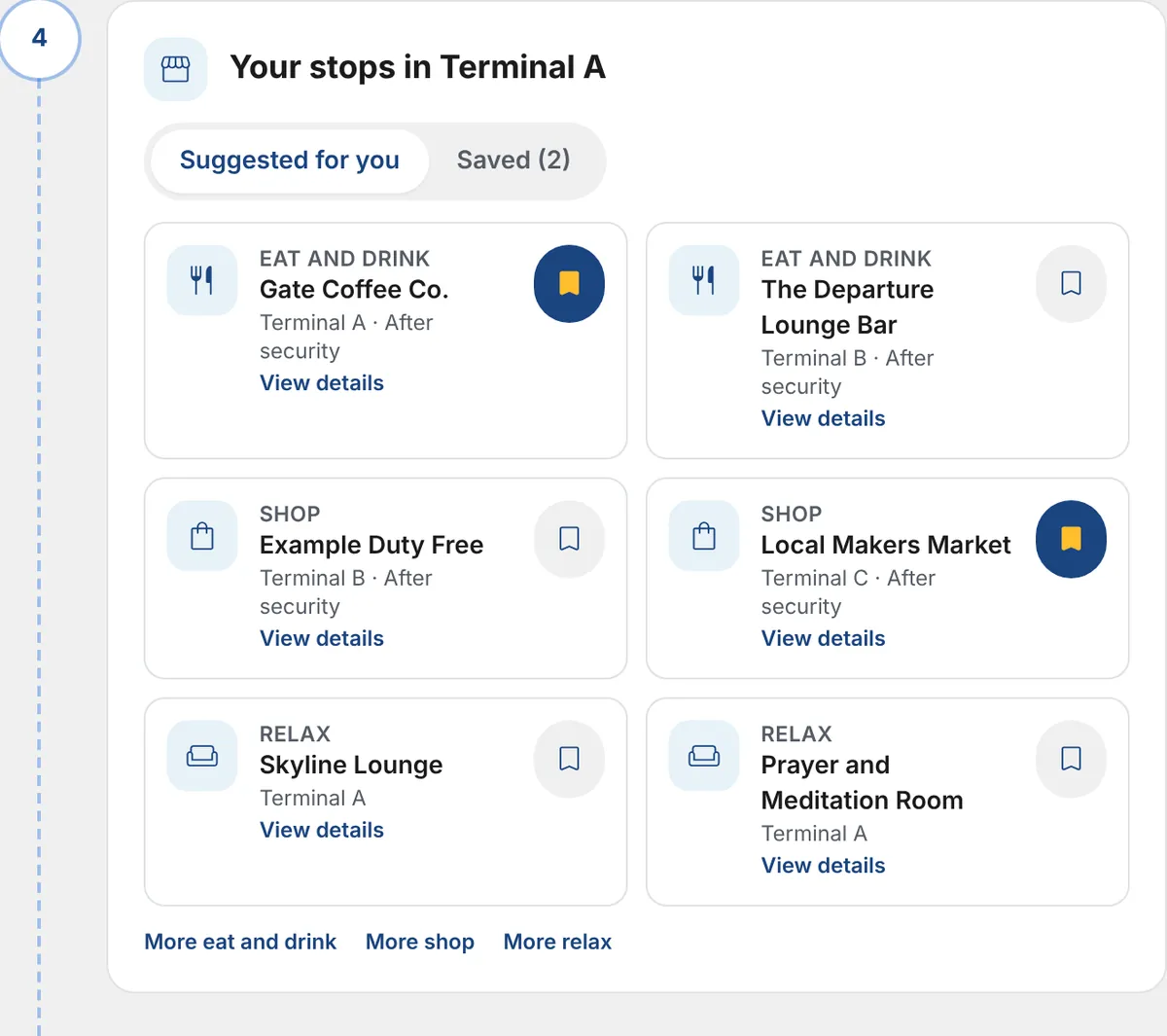
- Travellers plan their stops before they arriveIn the trip planner, travellers pick what they want before boarding (coffee, a sit-down meal, gifts, a lounge) and save the places they like. Your shops and restaurants are what they save.
- Matched to their terminal and their wishesSuggestions come from your published listings, ranked by the traveller’s terminal and preferences, so the right concession shows up for the right passenger.
- An organised, trusted way to buy along the waySaved stops sit in one plan next to their flight, gate and security tips, on your airport’s own site. Buying from you becomes part of the plan, not an interruption.
- Order ahead and partner dealsConcessions can take orders ahead for collection, and parking, transport, hotel and lounge partners can be booked from the same pages, with a revenue share to the airport.
Questions operators ask
See Alice run your airport’s site
Register as an operator and we will set up a demo login on the example airport and show your team around.