
Connecting car parks, wait time sensors and other systems
Bring the data you already have onto your site.
Open Connections under Settings. Built in shows what already works: weather, FAA delays, your Google Business Profile and manual wait times.
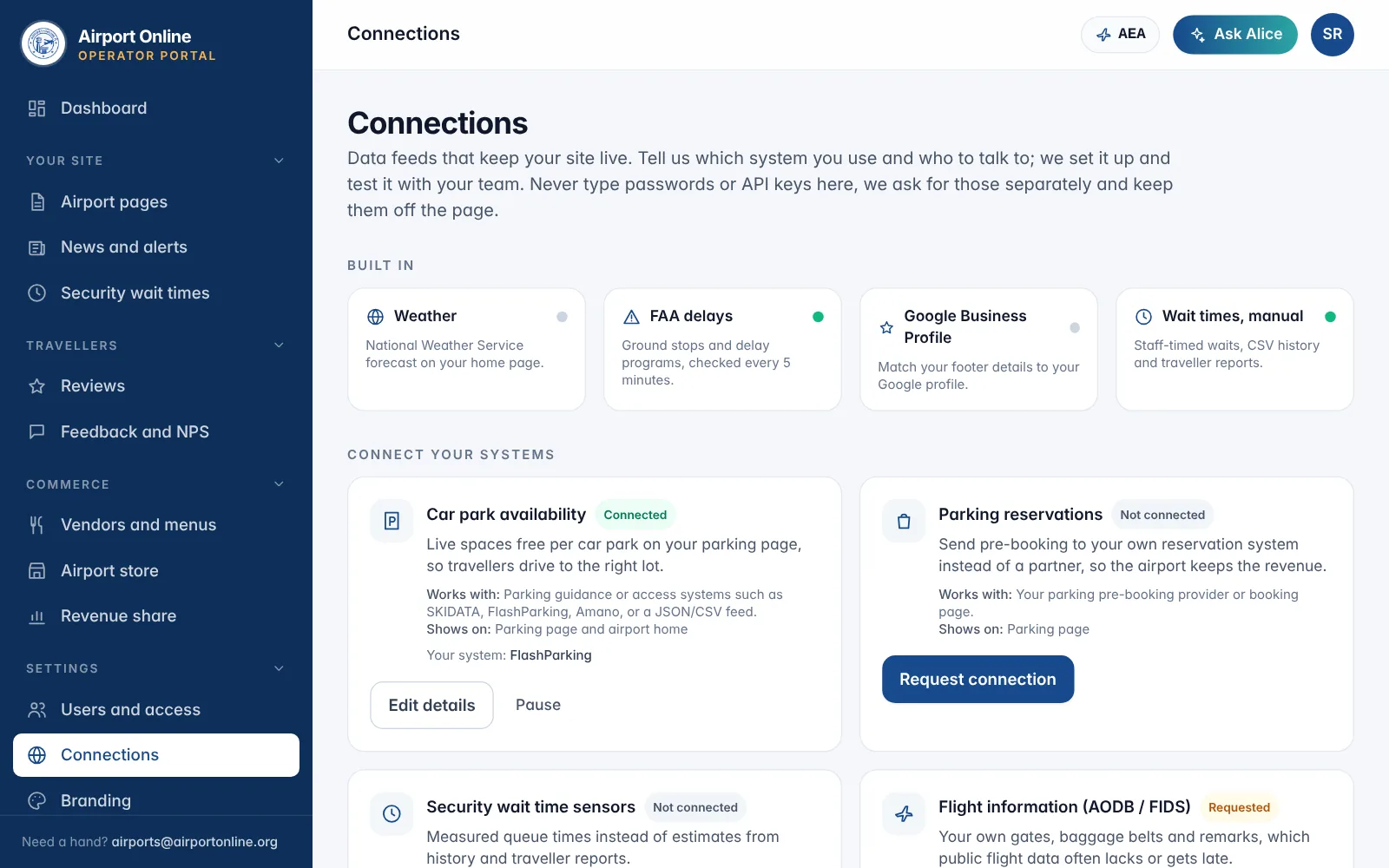
How to: under Connect your systems, choose Request connection on car park availability, parking reservations, security wait time sensors, flight information (AODB or FIDS), public transport (GTFS), terminal maps or your newsroom. Add the system name, a public https feed link if there is one, and a technical contact, then Send request.
Never type passwords or API keys on this page. Airport Online contacts your technical contact to set up keys securely, then marks the feed Setting up and Connected.
Pause tells us to stop a feed; save the form again to ask for it back. Anything else you want connected, email airports@airportonline.org.
Related
Did not find what you needed? Contact us.