
Inviting your team and vendors
Give the right people the right access, and take it away when they leave.
Open Users and access under Settings. Airport admins can use this page.
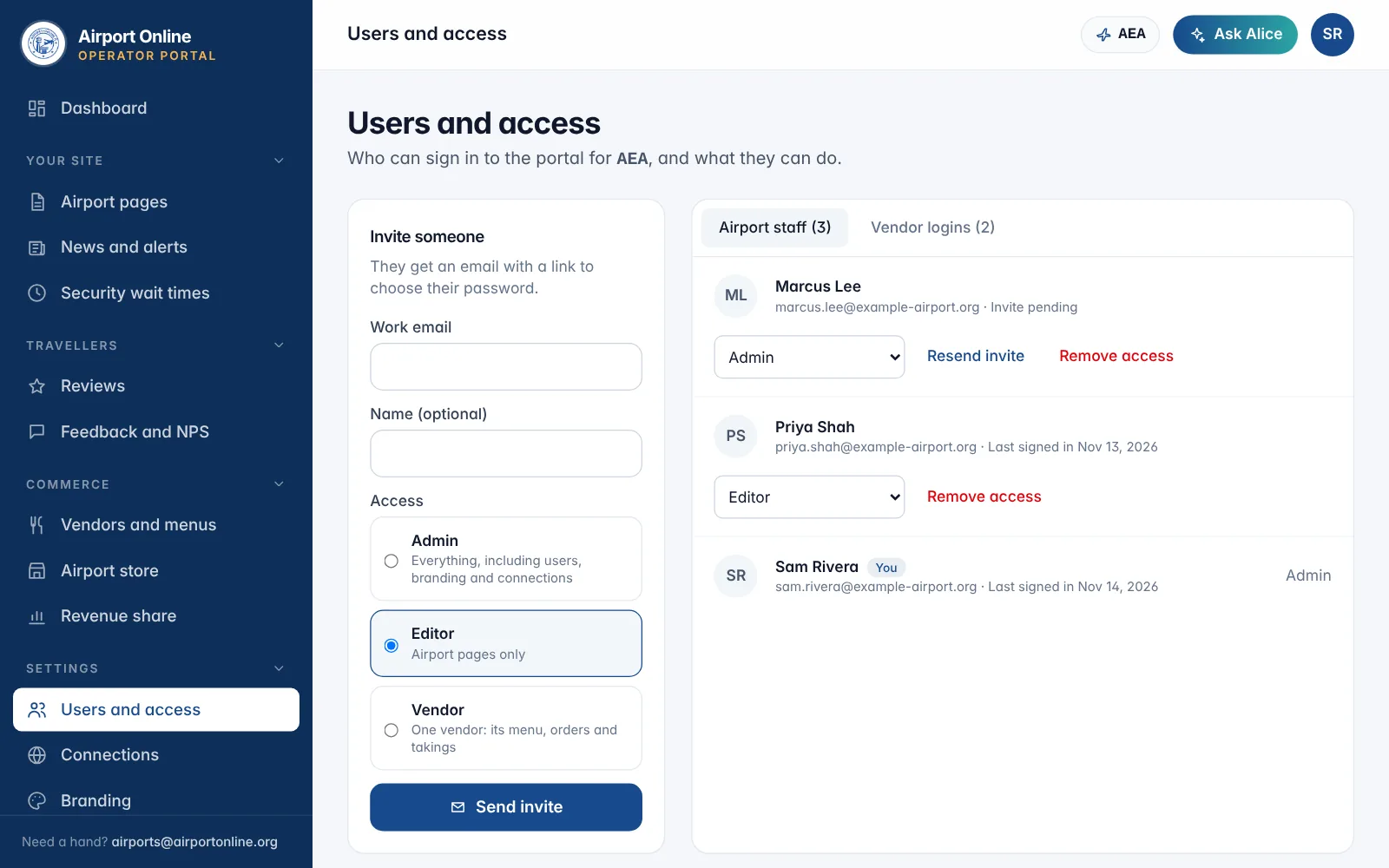
How to: enter a work email and optional name, choose Admin (everything), Editor (airport pages only) or Vendor (one vendor's menu, orders and takings), then Send invite. They get an email to choose their own password; the link lasts 72 hours, and Resend invite sends a new one.
Change someone's access with the menu beside their name. Remove access signs them out straight away; Restore access lets them back in.
You cannot change your own access, and every airport keeps at least one active admin.
Related
Did not find what you needed? Contact us.